
How to Pick the Best Mini Projector for Ceiling Viewing
Last Updated: November 17, 2026
Quick Summary
The best mini projector for ceiling viewing has automatic keystone correction, a rotatable base and enough brightness for a dark room. Check native resolution rather than the advertised 4K support, and pick a mount point that keeps the unit's vents clear of heat build-up.
- Choose a model with automatic keystone correction, since overhead placement almost always produces a trapezoid.
- Pick a rotatable base so you can angle the lens upward without an awkward tilt.
- Plan on a dark room, because low-brightness projectors look washed out with any ambient light.
- Check native resolution, since a 4K supported label often means the projector only downscales a 4K signal.
- Leave a few inches of clearance around the vents, because an overheating unit will dim or shut down mid-movie.
Table of Contents
- What Makes a Mini Projector Work for Ceiling Viewing
- Setting Up a Projector on the Ceiling Above Your Bed
- Best Budget Ceiling Projector Options and Price Tiers
- Using a Ceiling Projector From Your Phone and Stargazing Mode
- Frequently Asked Questions
What Makes a Mini Projector Work for Ceiling Viewing
Most people assume any mini projector will throw a usable image onto a ceiling. It won't. Brightness, keystone handling and throw distance all shift when the lens points upward.
Check for automatic keystone correction first: overhead placement almost always produces a trapezoid, and auto correction saves fiddling in the dark. A rotatable base also lets you angle the lens upward without an awkward tilt.
Brightness matters more than most listings admit. A low-ANSI-lumen mini projector looks washed out with any ambient light, so plan on a dark room.
Watch out: Don't rely on the advertised resolution alone. A "4K supported" label often means the projector accepts a 4K signal and scales it down, so check the native resolution before you buy.
Setting Up a Projector on the Ceiling Above Your Bed
Mounting a projector above a bed suits a small apartment, but a stable position, a tidy cable run, and enough airflow to avoid overheating decide whether it feels safe and usable. For a broader guide, see how to choose a portable projector for a small apartment.
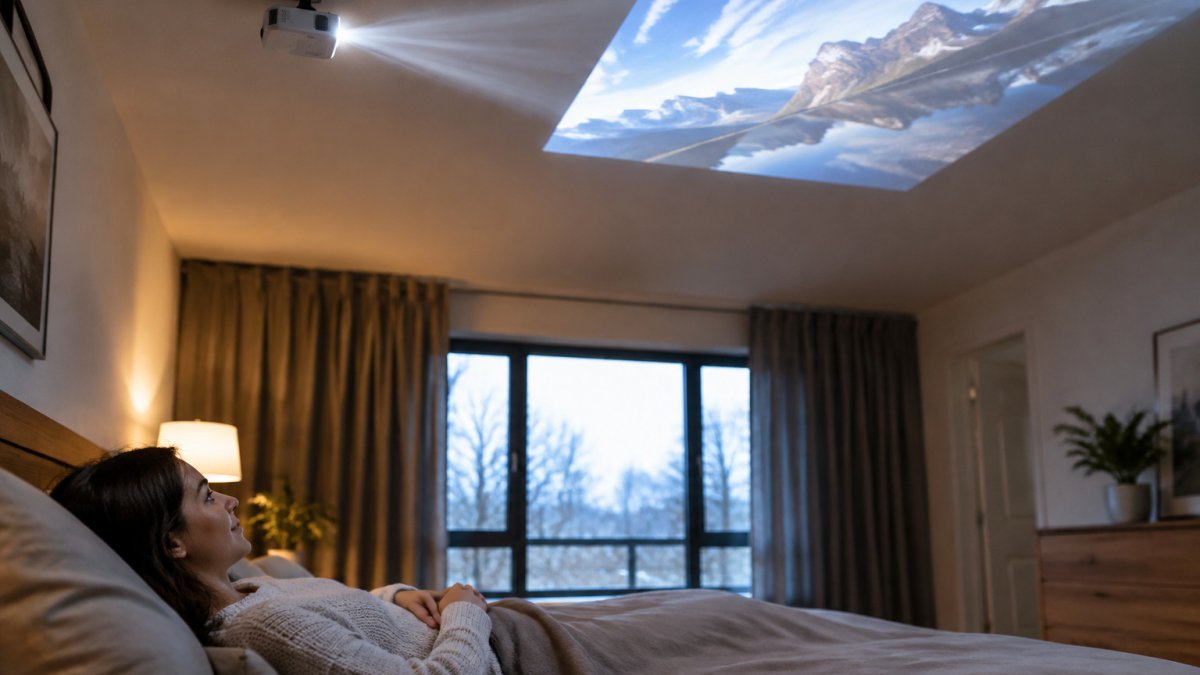
Choose the placement type first. There are three workable options, and each has trade-offs:
- Ceiling mount directly overhead: Best image geometry, but it sits in your line of sight, concentrates heat near the bed, and complicates cable routing. Use a mount rated for the unit's weight, anchored into a joist, never drywall alone.
- Wall-mounted shelf or bracket at the head of the bed: Keeps the projector out of the sightline and shortens the cable run. The lens must tilt upward, so confirm the keystone range can correct the trapezoid without softening the image.
- Bedside stand or tripod: The most flexible, renter-friendly option. Keep it clear of foot traffic and route the power cable along the wall.
Measure throw distance before you commit. Throw distance, lens to ceiling, sets the image size. Measure the vertical gap from your mount point to the ceiling and compare it with the model's throw ratio: a short-throw model needs less distance than a low ceiling allows.
Plan ventilation and heat. Mini projectors run hot, and a ceiling mount traps warm air. Leave a few inches of clearance around the vents, an overheating unit will dim or shut down mid-movie.
Route cables so nothing dangles. Secure the power cable along the wall or ceiling with clips; a cable hanging near your face or across the bed is a tripping hazard. If the outlet is far, use one extension cord rated for the projector's draw rather than daisy-chaining adapters.
Test at night before you finalize. With the lights off, check focus across the whole ceiling, corners often soften on tilted setups, and confirm the keystone holds the rectangle square. Adjust the mount angle in small increments rather than fighting the keystone setting.
Watch out: Do not mount a projector directly above where you sleep without a secondary safety tether, and never rely on adhesive strips or a loose bracket for an overhead unit, a fall from ceiling height is a real injury risk.
The three placement options differ in sightline, heat and cable routing, so compare them before mounting.
| Placement | Main trade-off | Key requirement |
|---|---|---|
| Ceiling mount directly overhead | Best geometry, but sits in sightline and traps heat | Mount rated for weight, anchored into a joist |
| Wall bracket at head of bed | Out of sightline, shorter cable run | Keystone must correct the upward tilt |
| Bedside stand or tripod | Most flexible and renter-friendly | Keep clear of foot traffic |
Best Budget Ceiling Projector Options and Price Tiers
Budget mini projectors cluster into three rough price tiers, and what changes between them matters more for ceiling viewing than headline specs.
How to judge brightness for a dark bedroom. Advertised lumen figures are unreliable across budget brands, and many listings omit an ANSI rating. In a fully dark bedroom a lower-brightness projector can look acceptable at moderate size, but perceived brightness drops as the image grows.
A concrete example. The Mini Projector - 1080P Full HD Support, Portable LED Projector, 4K Video Playback, Multiple Connectivity Options is priced at $41.67. Its listing highlights 1080P Full HD support, HDMI, USB and TF card inputs, and a 245-gram weight.
Watch out: A "4K supported" label usually means the projector accepts a 4K input signal and downscales it to its native resolution, it does not mean the image is 4K. Check the native resolution, not the supported-signal claim, before you compare models.
Using a Ceiling Projector From Your Phone and Stargazing Mode
Connecting a phone is usually easiest. Use a cable or supported wireless method, confirm the projector accepts your phone's output before buying, and test the picture on the ceiling before settling in.
Stargazing mode, which displays a night-sky image on the ceiling, is a fun extra for kids' rooms and bedtime routines. Judge the projector on core movie performance first.
Frequently Asked Questions
What is a good mini projector for ceiling viewing?
Look for a Full HD 1080P projector with a roller focus adjustment and a lightweight body you can place easily. The YG300 Pro Mini Projector from Arc manage pro.com, priced at $41.67, supports 1080P and 4K video playback, projects up to 80 inches within 2 meters and weighs 245 grams, which makes it easy to place on a shelf or ceiling mount. Check the listing for your intended use before buying, since advertised brightness and real-room results vary with lighting.
Do mini projectors actually work for watching movies in a bedroom?
Yes, in a dark or dimmed room a mini projector can deliver a large, watchable image. Brightness is the main limit: a bright living room will wash out the picture, so plan to view in a bedroom with blackout curtains or after dark. The YG300 Pro uses LED lighting and draws 10-24W, so you should still test noise and heat in your own space.
Can a phone connect to a ceiling projector?
Most mini projectors connect to a phone through an HDMI adapter, USB or a TF card slot, depending on the model. The YG300 Pro offers HDMI, USB, CVBS 3-in-1 input and a TF card slot, so you can connect a smartphone or laptop directly. Confirm which adapter your phone needs before you buy, and make sure the projector's power source, such as a compatible power bank at 9V/2A or 12V/1.5A, can keep it running for the session.
