
How to Choose a Portable Projector for a Small Apartment
Last Updated: November 13, 2026
Quick Summary
A portable projector suits a small apartment because it replaces a large TV without taking up floor space and needs no drilling. Measure your throw distance and wall width before buying, and plan to view in a dim room. A 1080P model is the practical target for most apartment users.
- Throw ratio of 1.2:1 means 1.2 meters of distance per meter of image width.
- Leave at least 10 cm of clearance behind and around the projector for airflow.
- Look for at least 500 ANSI lumens if you plan to watch in a partly lit room.
- A 4K listing may only mean 4K decoding, not native 4K display resolution.
- Renters should use shelf, tripod, or table placement rather than ceiling mounts.
Table of Contents
- Why a Portable Projector Suits a Small Apartment
- Throw Distance and Placement in Compact Rooms
- Brightness Expectations in a Lit Living Room
- Picking a Portable Projector for the Bedroom
- Affordable Options and What the Price Buys You
- Resolution Explained: Do You Need 4K?
- Pick Your Projector and Set It Up This Weekend
- Frequently Asked Questions
Portable projectors have quietly become one of the best ways to get a big-screen experience in a small apartment. A 1080P mini projector can throw a large image from a couple of meters away, which is enough for a movie night on a bare wall. The catch is that small apartments create their own problems: tight furniture layouts, bright living rooms, shared walls, and very little room to hide a bulky box. This guide walks through how to choose a portable projector for a small apartment, using specs that actually matter in a rented space.
We will cover placement, brightness, bedroom setups, budget options, resolution, and how to get started this weekend.
Why a Portable Projector Suits a Small Apartment
A portable projector fits a small apartment because it replaces a large TV without taking up floor space. A wall-mounted TV needs a stand or bracket, while a projector can sit on a shelf, a dresser, or a coffee table and be packed away after use.
Renters benefit most. Projectors don't require drilling holes or mounting anything permanent, which can make them easier to use within many lease rules.
The trade-off is that you need a blank surface and some control over light. Plan for that before you buy.
Throw Distance and Placement in Compact Rooms
Throw distance is the gap between the projector lens and the wall, and it determines image size. Most portable projectors list a throw ratio, the distance divided by image width, or a projection range in their specs. A throw ratio of 1.2:1 means you need 1.2 meters of distance for every meter of image width. To fill a 2-meter-wide wall, you need about 2.4 meters of throw distance. Check the minimum and maximum distance, then measure your room before you shop.
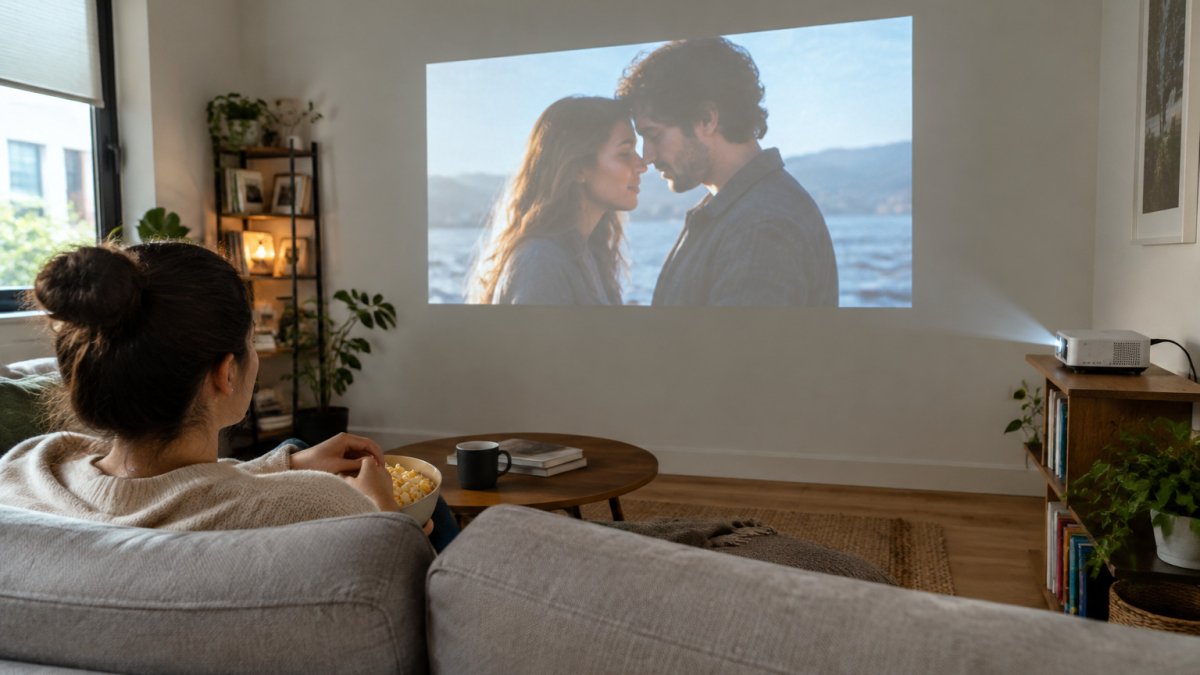
In a small apartment, the usual problem is not having enough distance. If your projector needs three meters to fill a wall and your living room is only four meters deep, you will end up with a sofa in the way or a projector sitting in the middle of the walkway. Short-throw projectors solve this by producing a large image from a short distance. Look for a throw ratio listed in the specs if your layout is tight.
Apartment layouts create specific placement challenges. Here are three common scenarios and how to handle them:
- Projecting across the living room from a coffee table: If your sofa faces a wall four meters away, a standard throw projector can fill a 100-inch image from about 2.5 meters. Place the projector on a low table in front of the sofa, but check that the table height doesn't put the lens below the sofa back. A tripod or a stack of books can raise it to the right height. Watch out: a projector placed on a coffee table is easy to knock over, and the fan intake can be blocked by clutter.
- Projecting onto a side wall from a bookshelf: In a studio or open-plan apartment, the only clear wall may be perpendicular to your seating. A shelf-mounted projector can work if the shelf is deep enough (at least 30 cm) and the lens clears the shelf edge. Use a small tripod or a wall mount that clamps to the shelf, no drilling required. Measure the distance from the shelf to the wall; if it's under two meters, you'll need a short-throw model or accept a smaller image.
- Bedroom projection from a nightstand: A nightstand facing the foot of the bed gives you about two to three meters to the opposite wall. That's enough for a 60- to 80-inch image with a standard throw projector. Keep the projector level with the center of the wall; tilting it up creates keystone distortion that softens the image. If the nightstand is lower than the bed, a small tripod can raise the projector to the right height.
Use these placement habits:
- Measure from the spot you plan to place the projector to the wall you'll project onto.
- Leave at least 10 cm behind and around the projector for airflow so the fan doesn't overheat.
- Keep the lens unobstructed. A cable or cushion in front of it will cut the image.
- Use the keystone adjustment sparingly. Angling the projector upward creates a trapezoid shape, so position the unit as level as possible.
- Consider a ceiling mount only if you own the apartment; renters should stick to shelf, tripod, or table placement.
If your room is unusually narrow or you want a very large image from a short distance, look specifically for short-throw or ultra-short-throw models. These are less portable and more expensive, but they solve the placement problem that standard portable projectors cannot.
The article breaks down the placement scenarios and habits that matter most in a tight apartment:
| Placement scenario | Typical setup | Key point |
|---|---|---|
| Living room from coffee table | Low table in front of sofa | Check lens clears sofa back |
| Side wall from bookshelf | Shelf at least 30 cm deep | Under 2 m needs short-throw model |
| Bedroom from nightstand | Nightstand facing bed | Two to three meters to wall |
| Airflow clearance | 10 cm behind and around unit | Prevents fan overheating |
| Keystone adjustment | Keep unit as level as possible | Tilting causes distortion |
| Ceiling mount | Owners only | Renters should avoid it |
Brightness Expectations in a Lit Living Room
Brightness is where many buyers get disappointed. For a deeper look at whether these projectors hold up in apartments, see how bright portable projectors really get in apartments. Mini projectors use compact light sources, which generally produce less brightness than home-theater models. Check the ANSI lumen rating in the specs, and expect the best results when the room is dim.
In a small apartment, you rarely have a dedicated dark room. Living rooms often have large windows, and renters can't always install blackout curtains. Here's how to set realistic expectations:
- Daylight viewing: If your living room has a window facing the projection wall, afternoon viewing will be difficult unless you block the light. Even with curtains, light bleeding around the edges will reduce contrast. Plan for evening viewing or invest in blackout curtains that hang from a tension rod, no drilling required.
- Wall color and texture: Light-colored walls reflect more light back toward the viewer, which can wash out the image. A plain white or light grey wall performs better than a patterned or dark one. If your wall is dark or textured, consider a portable projection screen. A pull-up screen or a hanging screen can be stored away when not in use and improves brightness and contrast noticeably.
- Screen choice: A white screen with a gain of 1.0 is a good neutral choice for apartments. Higher-gain screens (1.5 or more) reflect more light toward the viewer but narrow the viewing angle, so they work best if you sit directly in front. Grey screens can improve perceived contrast in rooms with some ambient light, but they reduce overall brightness.
- Ambient light control: Even partial dimming makes a large difference. Close blinds, turn off overhead lights, and use a lamp behind the projector rather than in front of the screen. Light sources between the projector and the screen reduce contrast more than light sources behind the viewer.
If you mainly watch in the evening, a lower-brightness projector can be sufficient. If you want to watch sports or daytime shows, look for a model with at least 500 ANSI lumens and plan to control light. Look for ANSI lumens in the specs, and check independent reviews if possible.
For most apartment users, the practical approach is to buy a projector that performs well in a dark room, then use curtains and screen choice to manage the light you can't eliminate. Don't expect a portable projector to replace a TV in a bright room; expect it to shine in the evening.
Picking a Portable Projector for the Bedroom
A bedroom is often the easiest room to set up a projector, because lighting is easier to control and there is usually a clear wall facing the bed. Many people use a projector in the bedroom to watch shows before sleep, which makes a dimmer, lower-output setting a feature rather than a drawback.
The Mini Projector - 1080P Full HD Support, Portable LED Projector, 4K Video Playback, Multiple Connectivity Options is a compact option worth a look for this use. You can see its full specs on the Mini Projector product page. Its listing describes support for 1080P HD and 4K video decoding, HDMI, USB, and a TF card slot, plus a weight of 245 grams.
Check your bedroom layout before you buy. A projector on a nightstand or dresser needs a clear line to the wall, and the cable run to your phone or stick should not stretch across the floor.
Affordable Options and What the Price Buys You
Budget portable projectors vary widely in brightness, build quality, and features. A lower price usually means a smaller light source, fewer connectivity options, or weaker speakers. That is not always a problem if you mainly stream shows in a dark room.
The Salange P300 Mini Portable Projector - 4K & 8K Video Decoding, 720P HD, Android 11, Wi-Fi, BT 5.1 is an example of a budget-minded model. Its listing mentions 720P HD output, 4K and 8K video decoding, Android 11, Wi-Fi, and Bluetooth 5.1.
Before you commit to a cheaper model, compare these items:
- Native resolution versus the decoding claims on the listing
- Built-in streaming apps versus needing a separate streaming stick
- Battery life if you want to move it around without a power outlet
- Return policy, in case the brightness doesn't suit your room
Resolution Explained: Do You Need 4K?
Resolution describes how many pixels make up the image. A 1080P projector has more pixels than a 720P model, which generally gives a sharper picture for most content at typical apartment viewing distances.
4K input is a different matter. Many mini projectors accept 4K video signals and downscale them to their native resolution. That means a 4K source will look good, but the projector itself is not displaying 4K pixels. Check whether a listing describes native resolution or only decoding support.
For most apartment users, 1080P native resolution is the practical target. Choose 4K decoding only if you stream 4K content and want the projector to accept that signal.
Pick Your Projector and Set It Up This Weekend
Start by measuring your room: the distance from the sofa to the wall, the wall width, and how much light comes through the windows. Those three numbers tell you whether a projector can fill the wall and whether it will look good at your viewing time.
Then narrow your options:
- Choose a native resolution of 1080P if you want the sharpest picture for the money.
- Pick a model with the connections you actually use, such as HDMI for a laptop or a streaming device.
- Decide whether you need built-in apps or will bring your own streaming stick.
- Confirm the throw distance fits your room before ordering.
On setup day, place the projector on a stable surface, connect your source, aim it at a light wall, and use focus adjustment before anything else. Close the blinds, dim the lights, and test a movie. If the image looks washed out, move the projector closer to the wall or change your viewing time before blaming the device.
A portable projector can turn a small apartment into a real movie room. Measure first, plan for a dim evening, and pick a resolution that matches what you watch.
Sleep-friendly bedroom gadgets pair well with a projector setup, so if you're building an evening routine, explore more smart gadgets for home comfort alongside your viewing setup.
Frequently Asked Questions
What is the best projector for a small apartment?
For most small apartments, a compact model with 1080p resolution, built-in keystone correction and a short throw distance works best. Look for a projector that fills a 2 to 2.5 metre wall from a metre or so away, since that lets you place it on a shelf or table without taking up floor space. Brightness matters more than resolution in rooms with daylight, so check the lumen rating before buying.
Can you use a white wall as a projector screen?
Yes, a plain white wall works for casual movie nights and presentations. The wall should be flat, matte and free of texture or colour, because paint with a sheen or patterns will distort the image. In a bright room, a dedicated projector screen gives noticeably better contrast, but a white wall is a good starting point if you are renting and cannot install anything.
How far should a projector be from the wall in a small room?
Distance depends on the projector's throw ratio and the image size you want. Many compact models produce a 2 to 2.5 metre image from around 1 to 1.5 metres away. Measure your room before buying, and check the projector's throw distance table so you know whether it will fit on your shelf or table. Keystone correction can fix a slightly angled placement, but a level setup gives sharper results.
Are portable projectors bright enough to use during the day?
Most portable projectors are best used in a dim room. In daylight, the picture will look washed out unless you close curtains and turn off nearby lights. If you want to watch during the day, choose a model with a higher lumen rating and plan to dim the room, since even bright compact units struggle against strong sunlight.
