
Are Smart Travel Gadgets Worth It for 2026 Trips?
Last Updated: November 24, 2026
Quick Summary
Smart travel gadgets are worth it in 2026 when they solve a specific problem you will actually hit on a trip, replacing something heavier, slower, or more stressful. The best smart travel gadgets for 2026 travel do two jobs, like translation earbuds that also play music or a hub that replaces a bag of dongles. Compatibility, not price, is where most returns come from.
- Confirm three things before buying: your phone's wireless standard, your laptop's port layout, and whether the device needs a companion app.
- A 40-hour total battery figure for earbuds means roughly 13.5 hours per charge plus case top-ups.
- The 164-language AI Translation Earbuds cost $43.58 and offer five translation modes.
- Spare lithium batteries generally must travel in carry-on, not checked bags, under FAA battery guidance.
- The Smart Fingerprint Padlock holds up to 10 fingerprints and is best for carry-on bags and lockers, not checked luggage.
Table of Contents
- Are smart travel gadgets worth it for 2026 trips?
- Quick comparison: smart travel gadgets at a glance
- The best travel gadgets for long flights
- Travel gadgets for flying: what earns carry-on space
- Travel translation devices: earbuds compared
- The best travel accessories for international flights
- Security, privacy, and airline rules to check before you pack
- Add these smart travel gadgets to your cart
- Frequently Asked Questions
Are smart travel gadgets worth it for 2026 trips?
Yes, smart travel gadgets are worth it in 2026, but only the ones that solve a specific problem you will actually hit on a trip. The best smart gadgets for 2026 travel earn their place by replacing something heavier, slower, or more stressful. At Arc manage pro.com, we sort travel tech into three buckets: devices that remove a real friction point, devices that duplicate what your phone already does, and devices that look clever in a listing but sit in a drawer by day three. Most wasted money goes to the second and third buckets.
A gadget that fails at the airport counter, in a noisy restaurant, or on a hotel Wi-Fi network costs you more than the return fee. Below, we break down which devices pull their weight on long flights, which ones matter for international trips, and where airline rules and privacy questions actually bite.
Quick comparison: smart travel gadgets at a glance
Here is the short version. These are the smart travel gadgets we would pack first, ranked by how often a traveler reaches for them. The table is a starting point, not the whole story, so each row includes the spec that most often decides whether a device works on your specific trip.
| Gadget | Price | Best For | Compatibility Check | Watch Out For |
|---|---|---|---|---|
| AI Translation Earbuds (164 languages) | $43.58 | Translation plus music on one device | Bluetooth 5.x phone; offline modes need a downloaded language pack | Needs a quiet room for best accuracy; extra modes only pay off if you use calls or photo translation |
| Translator Earbuds (144 languages) | $21.48 | Budget translation, offline use | Bluetooth 5.3 phone; offline mode requires pre-download | Shorter battery than the 164 model; not for all-day use without a midday charge |
| Multiport USB-C Hub | $21.48 | Seatback screens and laptop work | Laptop needs two adjacent USB-C ports; HDMI is most stable with PD power connected | HDMI can stutter without pass-through power; check port spacing before buying |
| Smart Fingerprint Padlock | $25.00 | Lockers, bags, and luggage | Companion app required for print management; not TSA-recognized | Not a substitute for a TSA-approved lock on checked bags; convenience and deterrence, not high security |
| Magnetic Phone Stand | $26.91 | Seatback and desk viewing | Requires a MagSafe-compatible phone or magnetic case | Magnets need a compatible phone or case; test grip before relying on it in a moving vehicle |
Price
The pattern worth noticing: the two devices travelers regret most are the ones they bought for a single trip. The ones they keep using do two jobs, a translation earbud that also plays music, a hub that replaces a bag of dongles, a stand that doubles as a charger.
For 2026 trips, compatibility, not price, is where most returns come from. Before you buy, confirm three things: the wireless standard your phone supports (Bluetooth 5.3 devices pair faster and hold a steadier connection), the port layout on your laptop (a hub built for two adjacent USB-C ports will not fit a laptop with ports on opposite sides), and whether the device depends on a companion app, since an app that needs an account and a live connection is a liability on a plane with no Wi-Fi.
Charging performance deserves the same scrutiny. A 40-hour total battery figure for earbuds means roughly 13.5 hours per charge plus case top-ups, enough for a long-haul flight and a day of sightseeing, not a multi-day trek without an outlet. A 15-hour total figure means a midday charge is part of the plan. For the hub, the 100W pass-through rating is the number that matters: it lets you charge a laptop and run HDMI at the same time, but only if your charger and cable actually deliver that wattage. Most travelers find a 65W charger is enough for a laptop plus phone; 100W is worth it only if you routinely run both hard.
One more check before you pack: anything with a lithium cell, including earbud cases and the padlock, falls under airline battery rules. Spare lithium batteries generally must travel in carry-on, not checked bags, under FAA battery guidance for air travelers. Confirm your airline's current limits rather than trusting a blog post, including this one.
The best travel gadgets for long flights
Long-haul flights are where travel tech either proves itself or embarrasses you. The best travel gadgets for long flights share one trait: they work without Wi-Fi. Anything that depends on a live connection is a gamble at 35,000 feet, and airline Wi-Fi is still inconsistent enough that you should plan around its absence, not its presence.
That rules out a lot of gear people buy, and explains why translation earbuds and a USB-C hub top our list. Both work offline or with local processing, both replace something you were already carrying, and both keep working when the seatback screen dies.
Translation earbuds that double as in-flight headphones
The pair we recommend most is the AI Translation Earbuds with 164-language support. They combine real-time translation, calls, and music playback in one device, which means you pack one pair of earbuds instead of two.
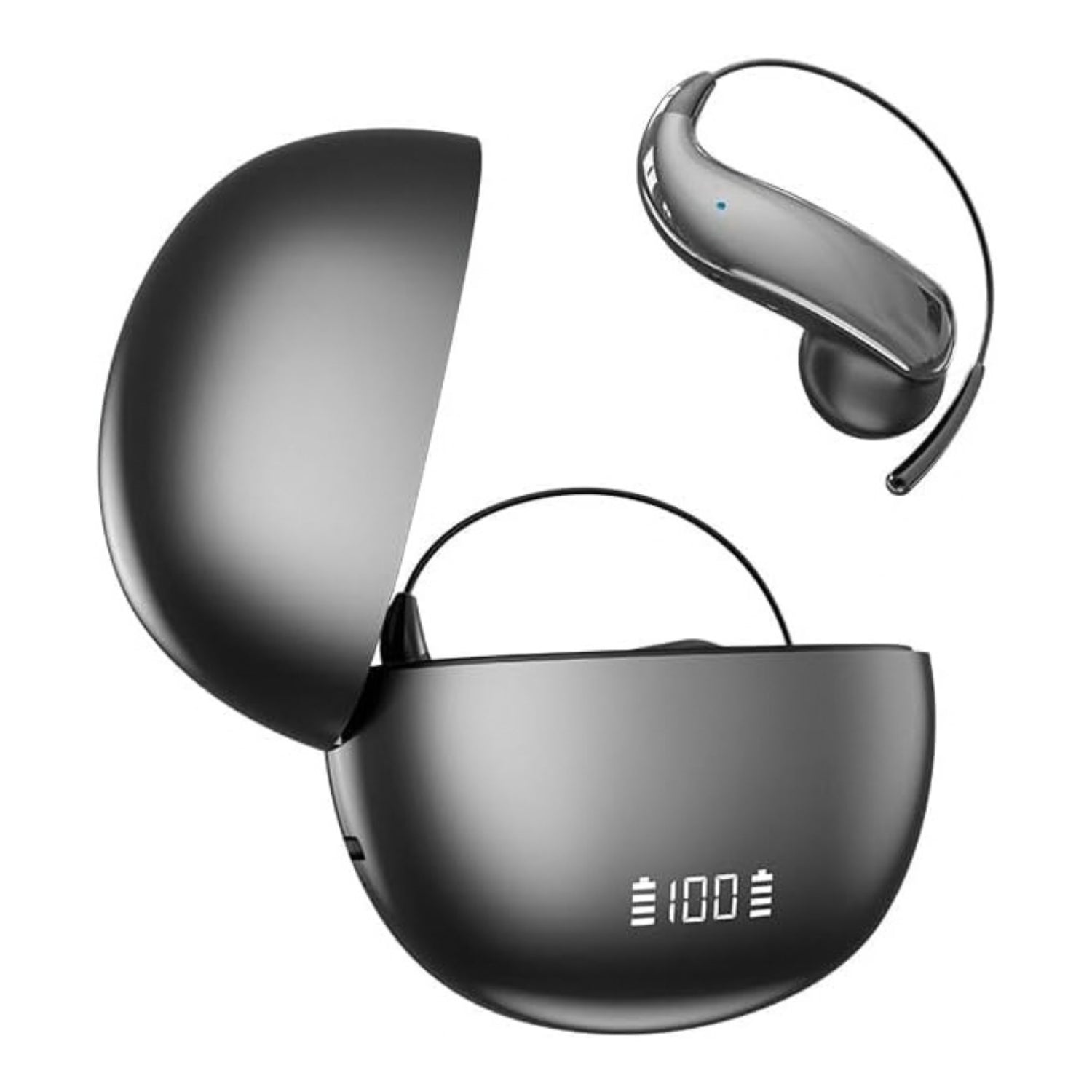
The listing describes five translation modes: Free Talk, Headphone+Phone, Audio/Video Call, Photo Translation and Translation Machine. Each covers a different kind of conversation or text.
A USB-C hub for seatback screens and laptop work
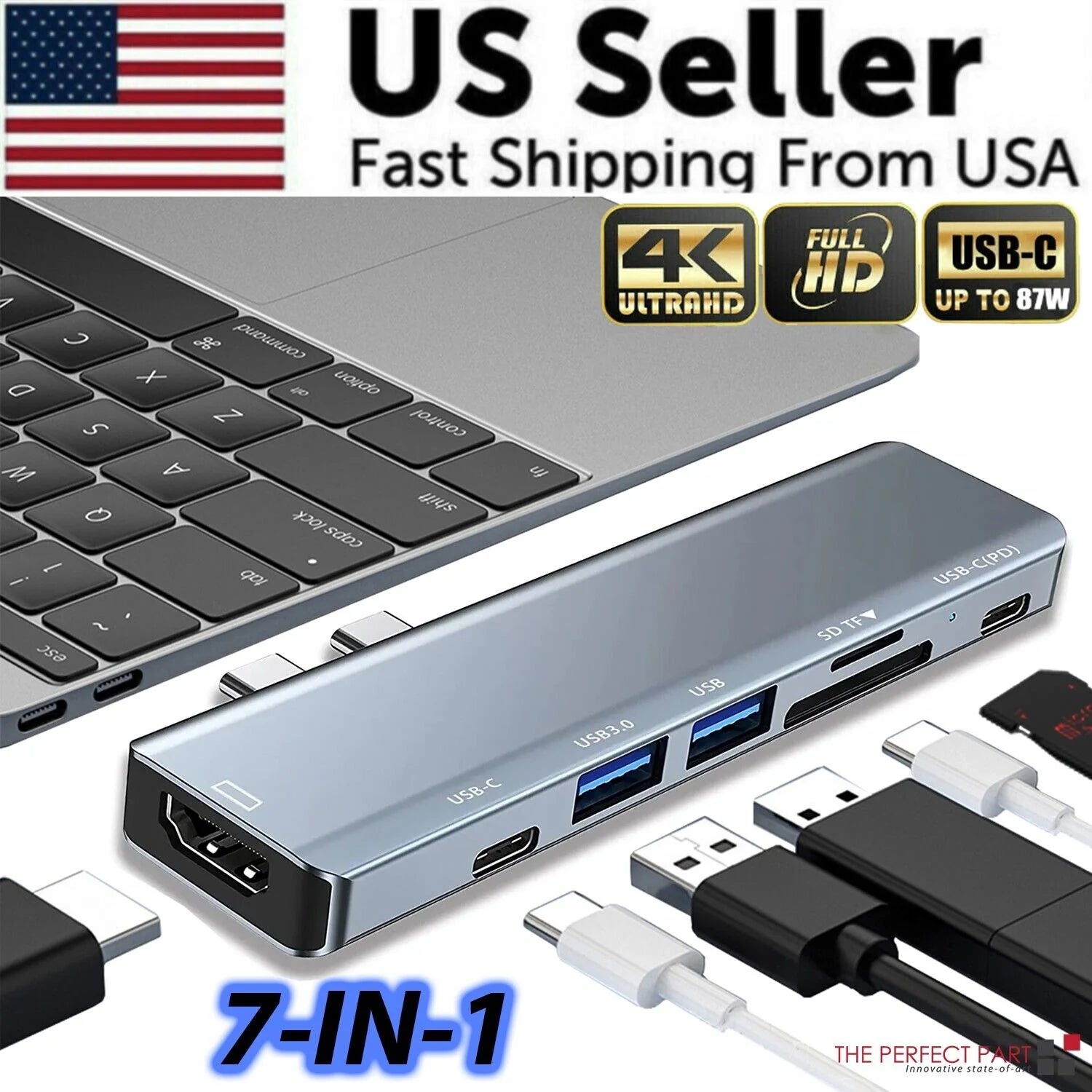
Seatback entertainment systems and modern laptops often need different connections. The Multiport USB-C Hub adds 4K HDMI output, a USB 3.0 port, USB 2.0 and SD and TF card slots.
Travel gadgets for flying: what earns carry-on space
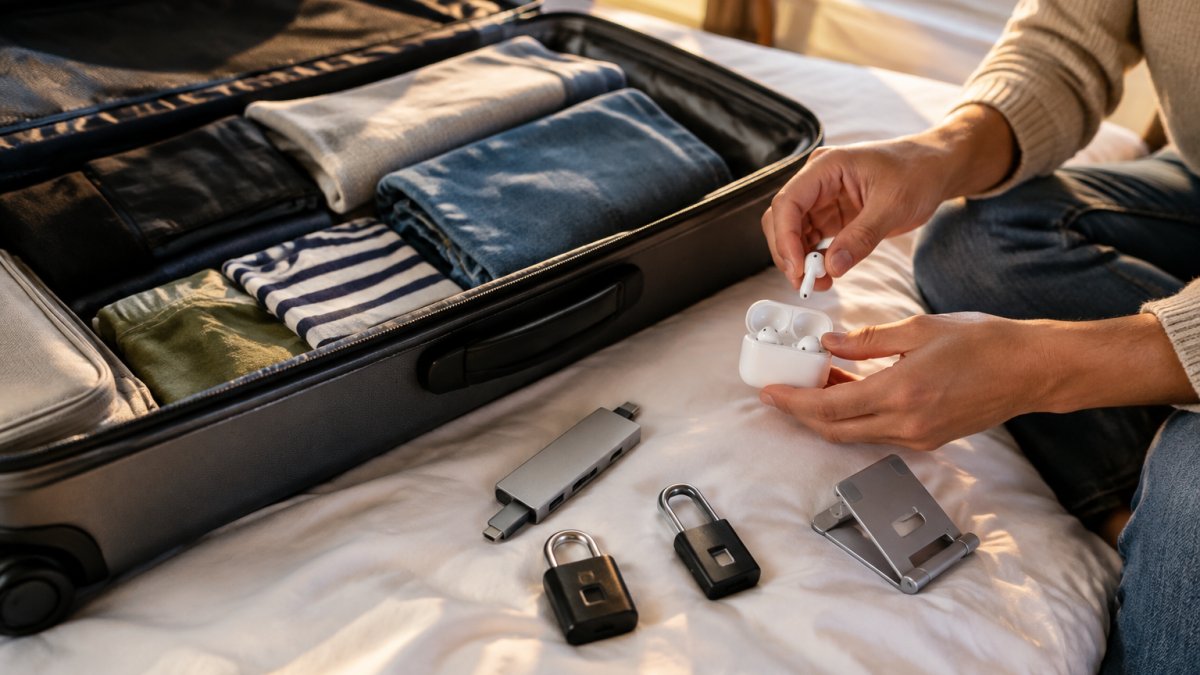
Carry-on space is the harshest filter in travel gear. A device has to justify its volume against clothes, and most smart gadgets fail that test. Our rule: if a gadget does not replace something you would otherwise pack, it stays home.
Three categories pass. Translation devices replace a phrasebook and a second pair of headphones. A hub replaces a bag of dongles. A compact lock replaces keys you can lose. Everything else has to fight for its slot.
- Passes: translation earbuds, a USB-C hub, a fingerprint padlock, a folding phone stand
- Borderline: a second pair of headphones, a separate power bank if your phone already lasts a full flight day
- Fails: anything that needs a wall outlet to be useful, anything with a proprietary cable you will forget
Watch out: airline battery rules apply to anything with a lithium cell, including earbud cases and padlocks. Spare lithium batteries generally must travel in carry-on, not checked bags, under FAA battery guidance for air travelers. Check your airline's current policy before you pack, since enforcement varies by carrier.
Travel translation devices: earbuds compared
Two translation earbuds cover most travelers, and the choice comes down to battery life versus price. Both handle real-time conversation. The difference is how long they run and how much you pay for the extra hours.
164-language earbuds with five translation modes
The 164-language model at $43.58 is the one to buy if you plan to use translation across a whole trip. It offers five modes and a multilingual AI assistant for practice and questions.
144-language earbuds with online and offline modes
At $21.48, the 144-language translator earbuds support online and offline translation modes.
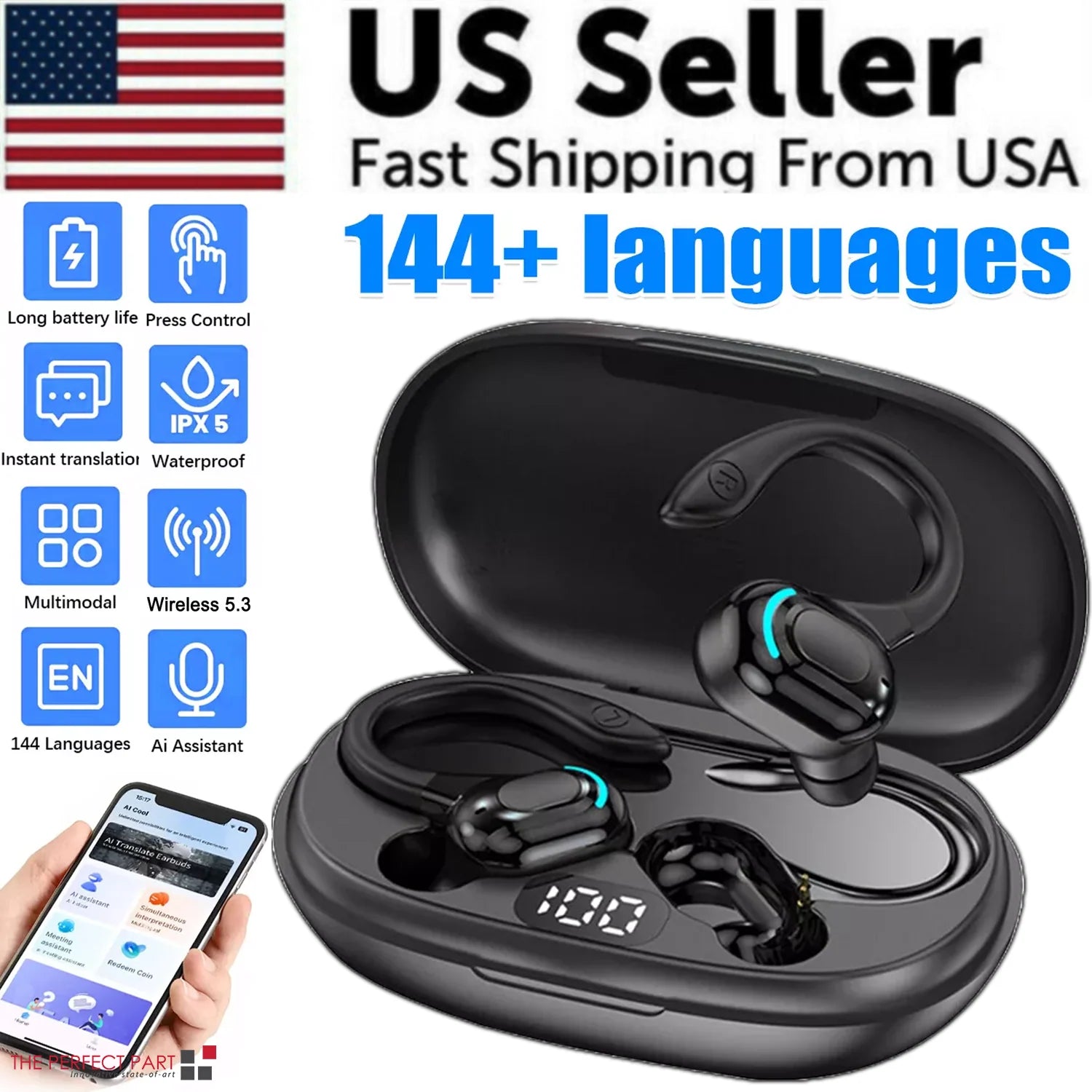
Best for: budget travelers and anyone who wants offline translation as a backup. Skip if: you need all-day battery without a midday charge.
The best travel accessories for international flights
International trips add two problems domestic ones do not: you carry more bags through more hands, and your phone becomes your map, ticket, and translator at once. The best travel accessories for international flights address those two problems directly.
A fingerprint padlock for luggage and lockers
The Smart Fingerprint Padlock holds up to 10 fingerprints, recharges over USB, and offers Bluetooth app control to manage prints and share temporary access.
The honest limitation: this is a convenience and deterrence device, not a high-security lock. It is excellent for hostel lockers, gym bags, and keeping a casual thief out of a suitcase. For checked luggage on a US flight, remember that screeners may need to open your bag, and TSA-recognized locks exist for that reason. Check the TSA luggage lock guidance before you put any lock on a checked bag.
A magnetic phone stand for seatback and desk use
The Metal Expansion Phone Stand is a magnetic folding phone holder with 15W fast charging.
Security, privacy, and airline rules to check before you pack
The part that decides whether your trip goes smoothly is the prep work: what your devices are allowed to do, what they are allowed to carry, and what they are allowed to know about you. This section covers the three checks that matter most for 2026 trips.
Airline and airport battery rules
Anything with a lithium cell, from earbud cases to the fingerprint padlock, falls under carrier and federal rules that change more often than most travelers expect. The practical baseline is that spare lithium batteries and power banks generally must travel in carry-on, not checked bags, under FAA battery guidance for air travelers. Capacity limits are usually expressed in watt-hours, and most consumer earbuds and padlocks sit well under the common carry-on threshold, but a large power bank can cross it. Check your airline's current policy before you pack, since enforcement varies by carrier and by airport.
Watch out: a lock on a checked bag can be cut by screeners if they need to open it, which is why TSA-recognized locks exist. The fingerprint padlock is best used on carry-on bags, hostel lockers, and gym bags, not as a checked-luggage lock. Check the TSA luggage lock guidance before you put any lock on a checked bag.
Plug standards, voltage, and destination power
International trips add a compatibility layer that domestic ones do not. The two questions to answer before you leave are whether your charger accepts the local voltage and whether the outlet shape matches. Most modern phone and laptop chargers are dual-voltage and print their input range on the brick, so a plug adapter is often all you need. Devices without a printed range, or older single-voltage gear, may need a converter rather than an adapter, and using the wrong one can damage the device.
A USB-C hub and a magnetic stand do not change this math, but they do add ports and cables to your bag, so count the outlets you will actually need. A common pattern is one dual-voltage charger with two USB-C ports plus a single plug adapter, which covers a phone, earbuds, and a laptop on most trips. Confirm the outlet type for every country on your itinerary, including layover countries, because a missed adapter at a connection is a common and avoidable failure.
Privacy and security settings before you go
Every connected device you carry, from earbuds to a Bluetooth padlock, pairs with your phone and may store data about where you have been and who you talked to. Before a trip, unpair devices you are not bringing, clear old pairing records, and set a screen lock on the companion app. The FTC guidance on protecting personal information is a useful baseline: share only what a device needs, and treat app permissions as a budget you spend carefully.
Public Wi-Fi is the other exposure point.
Accessibility and different traveler needs
Accessibility is the angle most guides skip entirely. Families traveling with children should treat the padlock as a locker and bag lock rather than a security device, and frequent flyers get more value from the hub and the stand than from a second pair of headphones. Match the device to the trip, not to the listing.
Add these smart travel gadgets to your cart
The smartest packing decision is subtraction. Buy the devices that replace two things you were already carrying, and skip the ones that only look clever. Our picks follow that rule: earbuds that translate and play music, a hub that replaces a bag of adapters, a lock that replaces keys, and a stand that replaces a broken seatback holder.
Arc manage pro.com curates travel tech around exactly that idea. The 164-language AI Translation Earbuds handle translation calls and music in one device. The Multiport USB-C Hub adds ports for HDMI and USB. The Smart Fingerprint Padlock secures a locker without a key. Each one solves a problem you will hit on a real trip, not a hypothetical one.
Start with the earbuds if you travel internationally, add the hub if you work from a laptop on the road, and let the rest earn their slot.
Pack lighter and communicate faster. Arc manage pro.com stocks the translation earbuds, USB-C hub, and travel locks that do two jobs each, so your carry-on stays under control and your first conversation abroad goes better than you expect. Get started with Arc manage pro.com and build a travel kit that earns its space.
Frequently Asked Questions
Which travel gadgets are most useful for long flights?
For long flights, prioritize gear that handles charging, sound, and boredom. Translation earbuds pull double duty as wireless earbuds for music and calls. A multiport USB-C hub keeps a laptop and phone topped up and lets you mirror video to a seatback or hotel TV. A compact phone stand holds your screen at eye level so you can watch hands-free instead of propping your phone on a tray table.
Are translation devices worth bringing on a trip?
The 164-language earbuds list five translation modes, including Free Talk and Photo Translation. The 144-language pair at $21.48 supports online and offline translation modes.
What smart gadgets should I pack for international travel?
Start with a translation device, a charging solution, and a lock. The AI Translation Earbuds ($43.58) handle translation and music, while the Multiport USB-C Hub ($21.48) adds HDMI output and USB 3.0 ports. Add the Smart Fingerprint Padlock ($25.00) for a hostel locker or checked bag, and the Metal Expansion Phone Stand ($26.91) for hands-free viewing. Together they cover language, power, security, and entertainment.
What travel tech essentials help keep devices charged on the go?
A multi-port hub and a single cable kit cover most trips. The Multiport USB-C Hub adds HDMI output, USB 3.0, USB 2.0 and SD/TF card slots. Pack one USB-C cable per device and a compact wall charger rated for your laptop's wattage.
Can I bring a mini camera on a plane, and is it useful for travel?
Yes, a small camera like the Mini SLR-Shaped 1080P Pocket DV Camera ($41.04) fits in a pocket or keychain and is easy to carry through security in a carry-on. The camera records video and photos and takes an SD/TF card, which is sold separately.
